
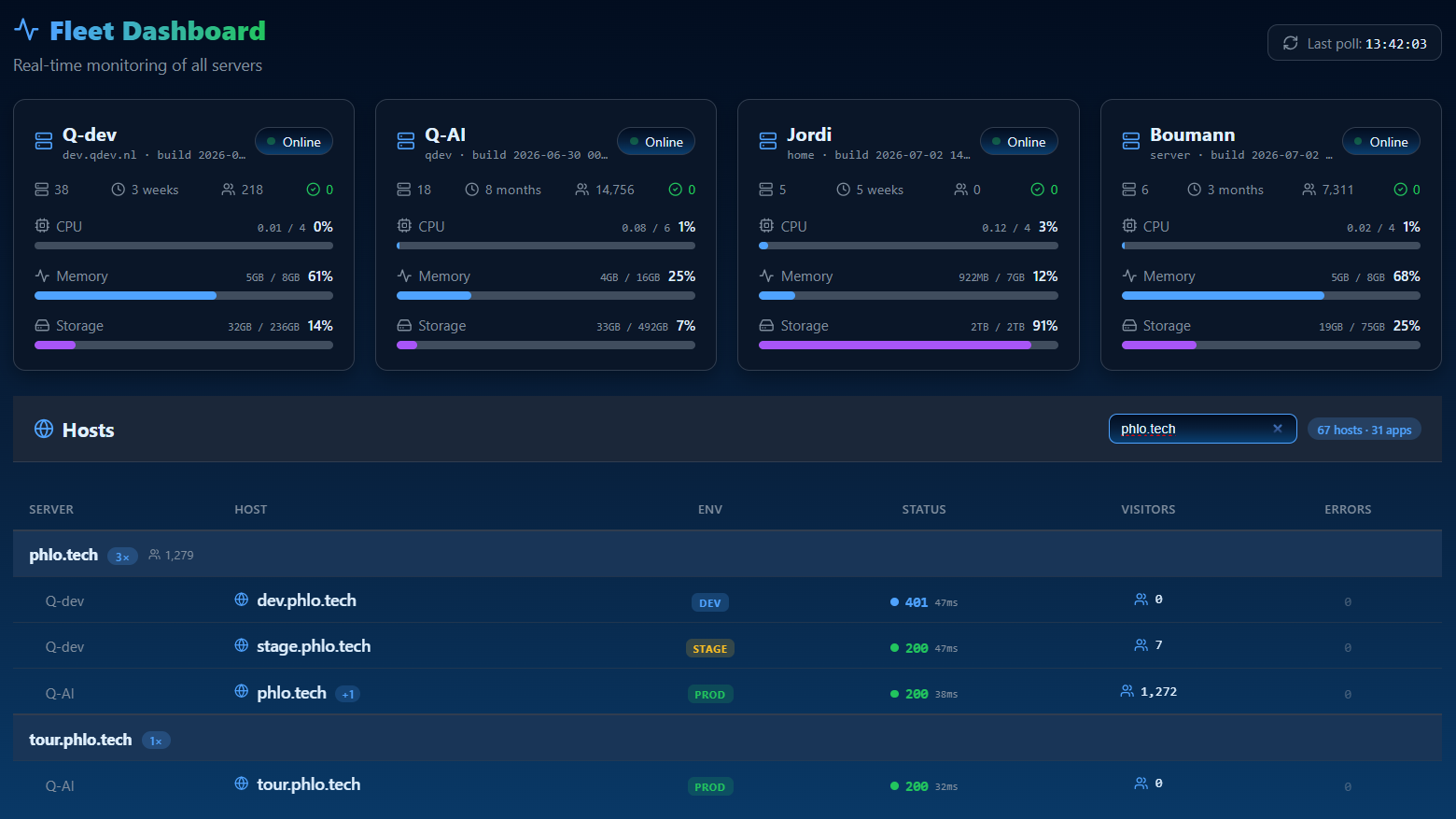
One dashboard for every app you run, not one per app
25 April 2026
There are two different things in Phlo that both sound like "the admin panel," and mixing them up causes real confusion, so it is worth being precise. The Phlo Control Center is a small dev panel built into every app, auto-mounted at /phlo whenever build: true and debug: true (move it with control: 'admin', or turn it off with control: false). The Phlo Dashboard is a separate application entirely, the one that manages your whole fleet of apps and servers from one place. This post is about the second one.
Not one app's admin, all of them
A schema-driven CMS (covered in an earlier post) gives one app a great admin for its own data. That solves a different problem than "I run six Phlo apps across three servers and I want to see all of them." The Phlo Dashboard is built for the second problem: fleet overview, domain management, database administration, notifications, user and role management, and visitor analytics, all as one operational tool that spans every app on every server it knows about, not a per-app add-on.
What it actually shows you
Uptime, versions and build state per app, so a stale deploy is visible without SSHing in to check. Domain and database administration per app, so routine operational tasks do not need fifteen different tools. Notifications and visitor statistics routed to mail or WhatsApp, so alerts reach you where you already are. None of this requires touching the individual app's own admin; it operates one layer above it.
Why this is a separate layer at all
The instinct is to fold fleet management into whichever app's CMS is biggest and call it done. Phlo keeps it as its own operational layer on purpose: an app's CMS is about that app's data, while the fleet is about the machines and the deployments underneath every app you run, including apps that have no CMS at all. Collapsing the two would mean either every app needs fleet-admin code it does not use, or the fleet view is permanently tied to whichever single app happened to host it.
Self-hosted, on purpose
The Dashboard runs on your own infrastructure, the same worker-mode FrankenPHP as everything else. Costs scale with the machine, not with how many apps you decide to add to the fleet or how much traffic any one of them gets, which is the same economic argument the platform makes everywhere else: you own the machine, so growth does not quietly change the shape of your hosting bill.