
A WhatsApp gateway that is not a vendor lock-in
27 June 2026
WhatsApp is where a lot of a small business's actual communication happens, but most ways of automating it mean handing a vendor your message history, your customer list, or both. Phlo WhatsApp is built as infrastructure you run yourself: one process per WhatsApp number, a QR-code login the same way the app itself works on a new device, and a secret-protected webhook connecting it to your app.
How the two directions work
Inbound messages arrive at your app through a webhook guarded by a secret that never leaves your own configuration. Outbound messages go the other way, through the WhatsApp resource, called from plain Phlo code:
method notifyOrder($order){
    %WhatsApp($this->gatewayUrl, $this->gatewaySecret)->text($order->customerPhone, nl('Je bestelling is onderweg!'))
}
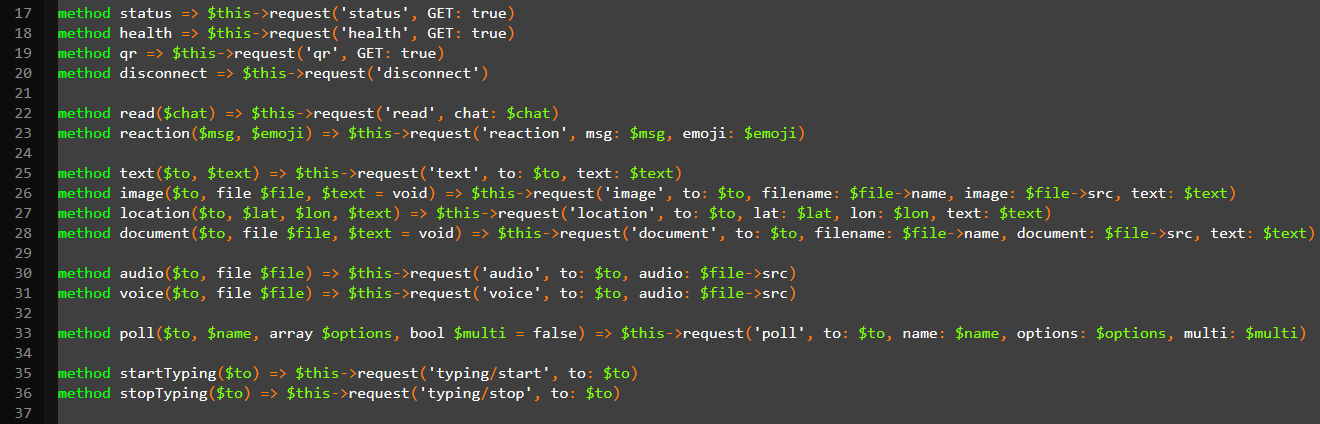
Text, images, polls and location messages all go through the same resource. There is no separate service to authenticate against per message type, and no dashboard to click through, sending a WhatsApp message is one call, next to whatever other logic just decided to send one.
One gateway process, not one per feature
The gateway itself runs as its own process per phone number, independent of any single app. That separation matters operationally: the gateway's session and its QR login survive an app deploy, and one gateway can serve requests from an app that itself scales horizontally behind a load balancer, without the WhatsApp session needing to move with it.
The same platform layer as everything else
Mail and notifications route through this same layer conceptually, one messaging surface, reachable from server-side code, without a client-side SDK to load or a vendor's JavaScript widget to embed. That consistency is less about WhatsApp specifically and more about a pattern that shows up across the whole platform: an external capability becomes a Phlo resource, called the same way from the same language, instead of a bespoke integration with its own conventions to remember.
Where to start
The WhatsApp mini-manual walks through both directions end to end, webhook setup, credential handling, and sending your first message, and ends at a demo bot you can clone and run: receive a message, answer it, nothing else required to see the whole loop working.