
8: Realtime
One gap remains: when someone else votes, your tab does not move. In this final chapter the server pushes results to every open browser through the Phlo Daemon, and then you ship the whole thing. The realtime part is optional: it requires one small Node service that lives outside the framework, and the poll is complete without it. The shipping part is not optional.
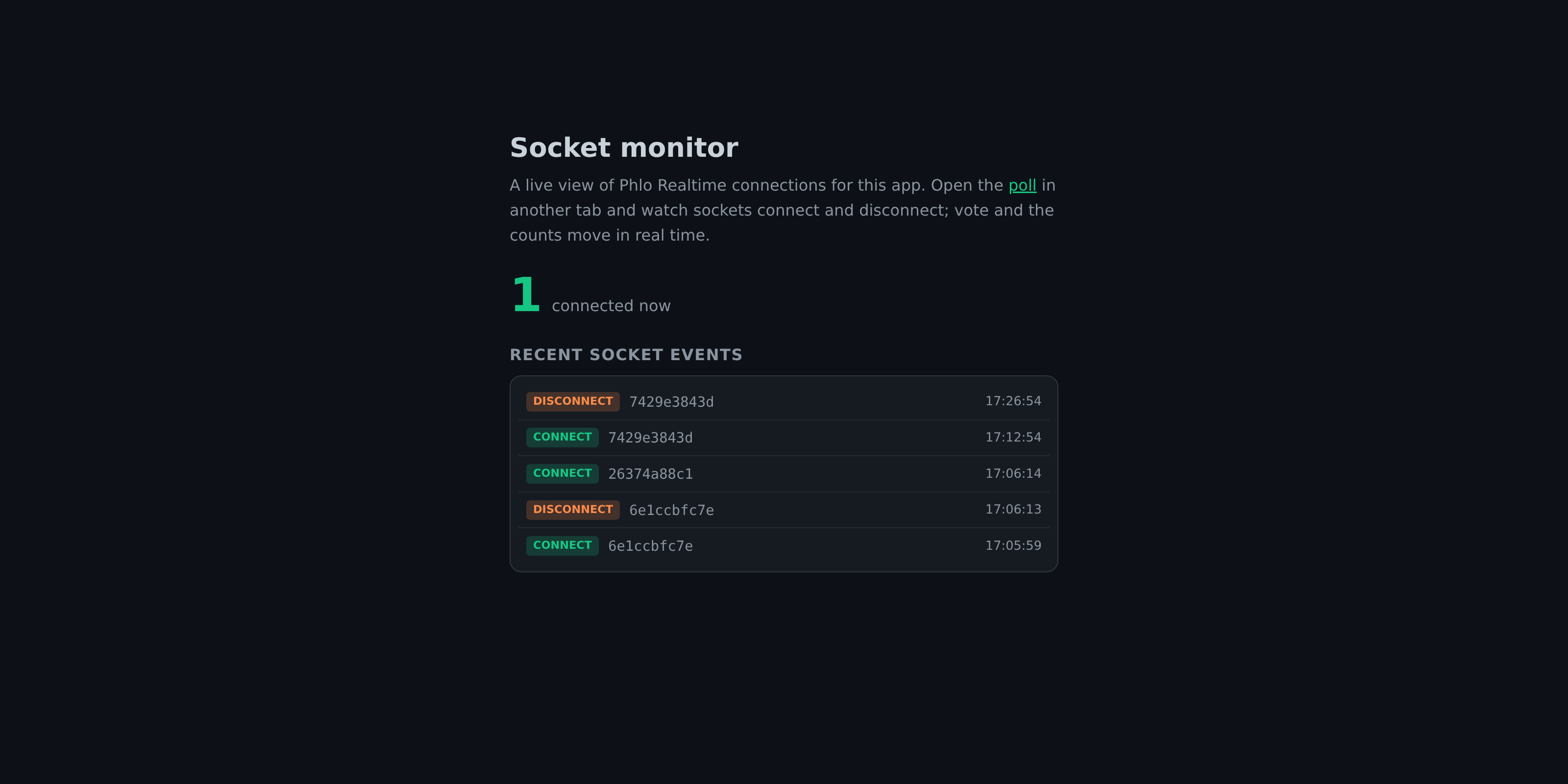
8.1: The Phlo Daemon, the optional Node service
WebSockets in Phlo run through the Phlo Daemon: one Node process that owns the sockets and runs your PHP hooks. It serves all your apps on one port and routes connections by Host header; for each event it runs your app on its worker pool. In development the daemon makes a one-shot PHP call per event (a fresh process), so your handlers get the full request lifecycle: database, session, everything. In production a release host runs a resident worker pool for throughput (see the WebSocket guide).
git clone https://github.com/q-ainl/phlo-daemon.git <daemon>
cd <daemon> && npm install
The daemon takes a port and the PHP binary; your app registers its own host the first time it is hit, so there is no host map to maintain:
// <daemon>/config.js
require('./phlo-daemon.js')(3001, 'php')
node <daemon>/config.js # run the daemonOn the app side, give the runtime its WebSocket port in www/app.php and add the realtime resources to data/app.json:
phlo_app(
	id:    'Poll',
	host:  'localhost',
	build: true,
	debug: true,
	app:   dirname(__DIR__).'/',
	langs: dirname(__DIR__).'/langs/',
	daemon: 3001,
);
{
"resources": ["...", "websocket", "DOM/websocket", "wsCast", "HTTP"]
}(... stands for everything already in your list.) websocket dispatches incoming events to your hooks, DOM/websocket is the browser client that connects automatically and pipes incoming messages through the same apply() machinery you used in chapter 6, and wsCast plus HTTP let PHP broadcast. In production you pass wss://.../websocket through your reverse proxy to port 3001. Rebuild; lint stays [].
8.2: The hooks
Your app reacts to socket events through plain functions. Create poll.ws.phlo:
function wsConnect($host, $token, $socket){
	return true
}

function wsReceive($host, $token, $socket, ...$data){
	if (($data['type'] ?? null) === 'ping') return wsCast(wsTarget: $socket, pong: time())
}
wsConnect runs after the handshake; return true to accept. wsReceive runs for every client message, JSON-decoded and spread into $data. Two more hooks exist (wsAuth for token auth, wsClose for cleanup); the poll needs neither, because results are public. $socket is an opaque id you can target directly, as the ping reply shows.
One naming trap: do not call this file websocket.phlo. That class name is taken by the engine's websocket resource and the build fails with a duplicate class error. poll.ws.phlo transpiles the functions into the app just fine.
8.3: Broadcast on vote
wsCast() posts to Phlo Realtime, which pushes to connected browsers. The payload is the same command language as apply(). One line in the vote route:
route both POST poll vote $id {
	if (!$option = type_poll::record(id: (int)$id)) return false
	type_poll::change('id=?', (int)$id, votes: $option->votes + 1)
	wsCast(wsTarget: 'all', outer: ['#results' => $this->results])
	if (%req->async) return apply(
		outer: ['#results' => $this->results],
	)
	location('/poll')
}
wsTarget: 'all' reaches every connected client; a socket id or an array of ids narrows it down. The browsers receive outer: {'#results': ...} and update the bars, exactly as if they had voted themselves.
Open http://localhost/poll in two windows and vote in one: both move. And if Phlo Realtime or the daemon is down? wsCast() fails silently, voters still get their apply() response, and the poll keeps working. Realtime is a layer here, not a dependency.
8.4: Ship it
Time to produce a deployable build. Add a release target to data/app.json:
{
    "resources": ["..."],
    "release": "%app/release/"
}
Then build it:
php www/app.php build::run
php www/app.php build::lint
php www/app.php build::release
build::release produces a minified production build: PHP into release/, web assets into release/www/. Give the release its own entrypoint, release/www/app.php, with build mode off and the paths pointed at the release output:
<?php
require '/phlo/phlo.php';

phlo_app(
	id:    'Poll',
	host:  'poll.example.com',
	build: false,
	app:   dirname(__DIR__).'/',
	php:   dirname(__DIR__).'/',
	www:   __DIR__.'/',
	data:  dirname(__DIR__).'/data/',
	langs: dirname(__DIR__).'/langs/',
	daemon: 3001,
);
Deploy with the realtime-capable phlo-daemon image: it serves the app and runs Phlo Realtime on 3001 in the same container. Mount the release as the app, and mount data and langs into it: the votes and translations are state, not build output, so they live outside the release on the host:
docker run -v $(pwd)/app/release:/app -v $(pwd)/app/data:/app/data -v $(pwd)/app/langs:/app/langs \
	-p 80:80 -p 443:443 -p 443:443/udp -e SERVER_NAME=poll.example.com -e WS_HOST=poll.example.com \
	ghcr.io/q-ainl/phlo-daemon
8.5: Where next
You built a full-stack app in eight short files: a model, a controller, a style sheet, a hooks file, and four config touches. Routing, views, CSS, ORM, async DOM updates, translations, and realtime, all in one language.
From here:
- The guide covers every layer in depth: route grammar, the apply protocol, the ORM's relations and schemas, worker mode, tasks, AI resources, and tracing.
- The ecosystem page shows the production platform around your app: FrankenPHP worker mode, the Phlo Dashboard, the Phlo Daemon, Phlo Realtime and Phlo WhatsApp, and fleet management.
Ship something.
Last updated on 23 August 2026