
1: Dashboard overzicht
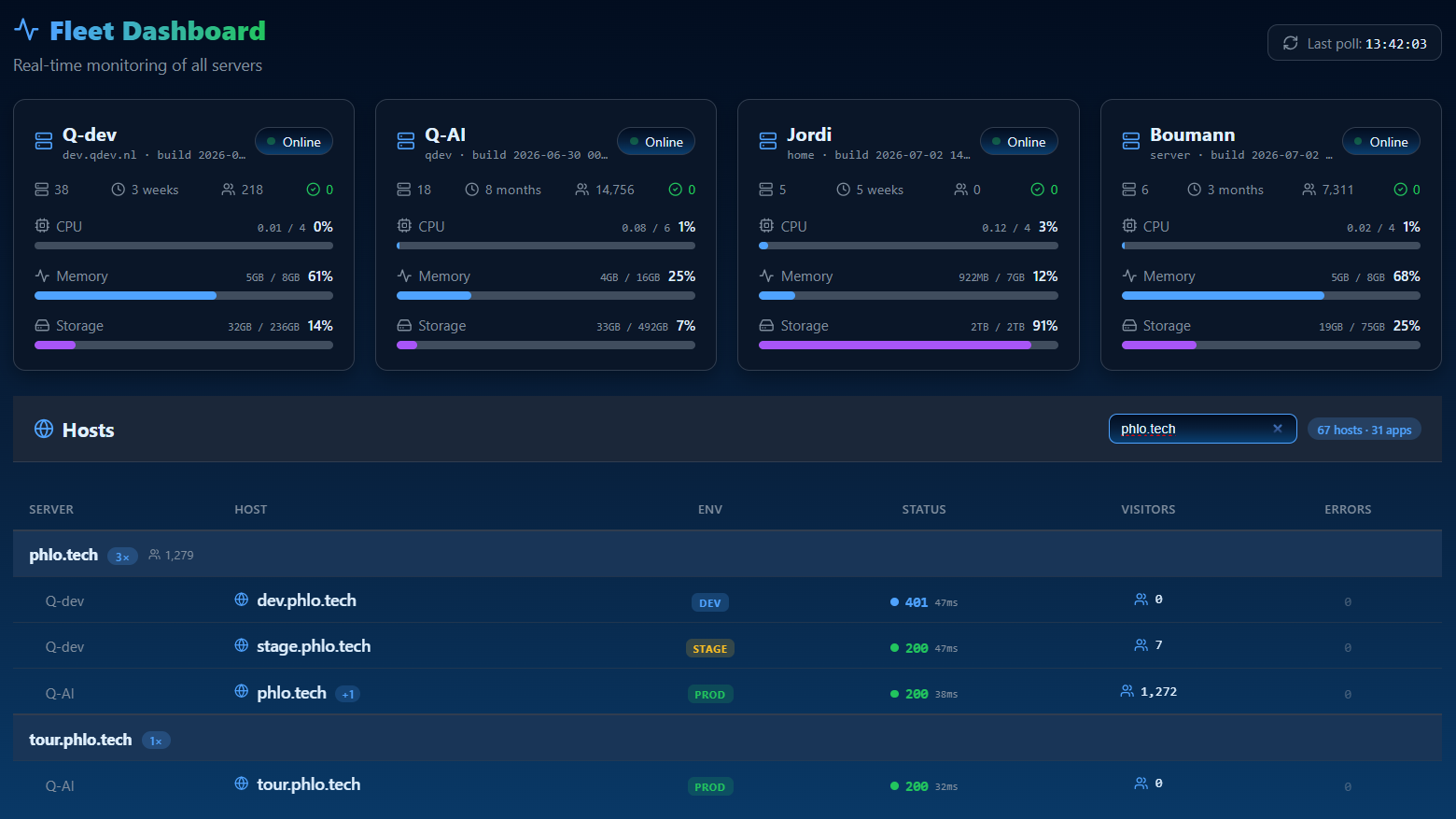
Het Phlo Dashboard is de operationele laag van het platform: een enkel controlecentrum voor een vloot van Phlo-apps en de servers waarop ze draaien. Het is zelf een Phlo-app gebouwd op de CMS, met auth, vloottools en analytics bovenop.
1.1: Waar het voor is
Waar de CMS de inhoud van één app beheert, beheert het Dashboard de operatie: welke apps en hosts er zijn, wie ze mag aanraken, wat ze op dit moment doen en waar gebruikers over worden geïnformeerd. Het is het antwoord op "Ik heb verschillende Phlo-apps in productie, hoe run ik ze vanuit één plek?"
1.2: De modules
| Module | Doel |
|---|---|
| Overview | status van de fleet in één oogopslag |
| Database | doorbladeren en bewerken van MySQL en SQLite databases |
| Domains / Sites | de hosts en apps onder beheer |
| Notifications | een centrale inbox waar apps naar pushen |
| Subscriptions | wie er wordt geïnformeerd, en hoe |
| monitoren van Phlo WhatsApp gateways | |
| Users | accounts, rollen en permissies |
| Visitors | privacy-vriendelijke analytics |
Elk module is afgeschermd op basis van rol en per-gebruiker permissies, zodat een gescopeerde gebruiker alleen ziet wat hij of zij mag zien.
1.3: Referentie, geen demo
Het Dashboard is een operationeel hulpmiddel dat is gekoppeld aan echte servers en accounts, dus er is geen openbare demo. Deze mini-handleiding bevat concepten en referenties. De andere drie producthandleidingen (CMS, Phlo Realtime, Phlo WhatsApp) worden elk geleverd met een uitvoerbare voorbeeldapp die je kunt klonen en bouwen.
Laatst bijgewerkt op 23-08-2026