
10: 工具和 CLI
Phlo 应用程序具有用于 build、lint、release 和 reflection 的 CLI 层。始终通过应用程序的开发入口点使用它。
10.1: 构建命令
php www/app.php build::run
php www/app.php build::lint
php www/app.php build::release
php www/app.php build::config
php www/app.php build::changed
build::lint 应该返回一个空数组:
[]如果 lint 报告错误,请修复 .phlo 源文件并重新构建。切勿修补生成的 PHP。
| 命令 | 返回值 |
|---|---|
build::run |
触发构建;返回更改的文件路径 |
build::lint |
转换文件中的 PHP 解析错误;空数组 = 干净 |
build::release |
使用发布钩子转换发布构建 |
build::config |
来自 data/app.json 的完整构建配置 |
build::changed |
自上次构建以来更改的源文件 |
build::buildFiles |
所有转换后的输出路径(php/ + www/) |
build::releaseFiles |
发布构建的转换输出路径 |
build::flush |
删除所有转换后的文件 |
build::traceShadow |
从 functions.php 重新生成 functions.trace.php |
build::help |
所有方法及其签名和描述 |
10.2: 反射命令
反射帮助你在更改应用程序之前理解它:
php www/app.php reflect::context
php www/app.php reflect::compactRoutes
php www/app.php reflect::compactViews
php www/app.php reflect::resourceSummary
php www/app.php reflect::objectIndex
php www/app.php reflect::functionIndex
这些命令返回 JSON,并且旨在开发环境中使用 build: true。
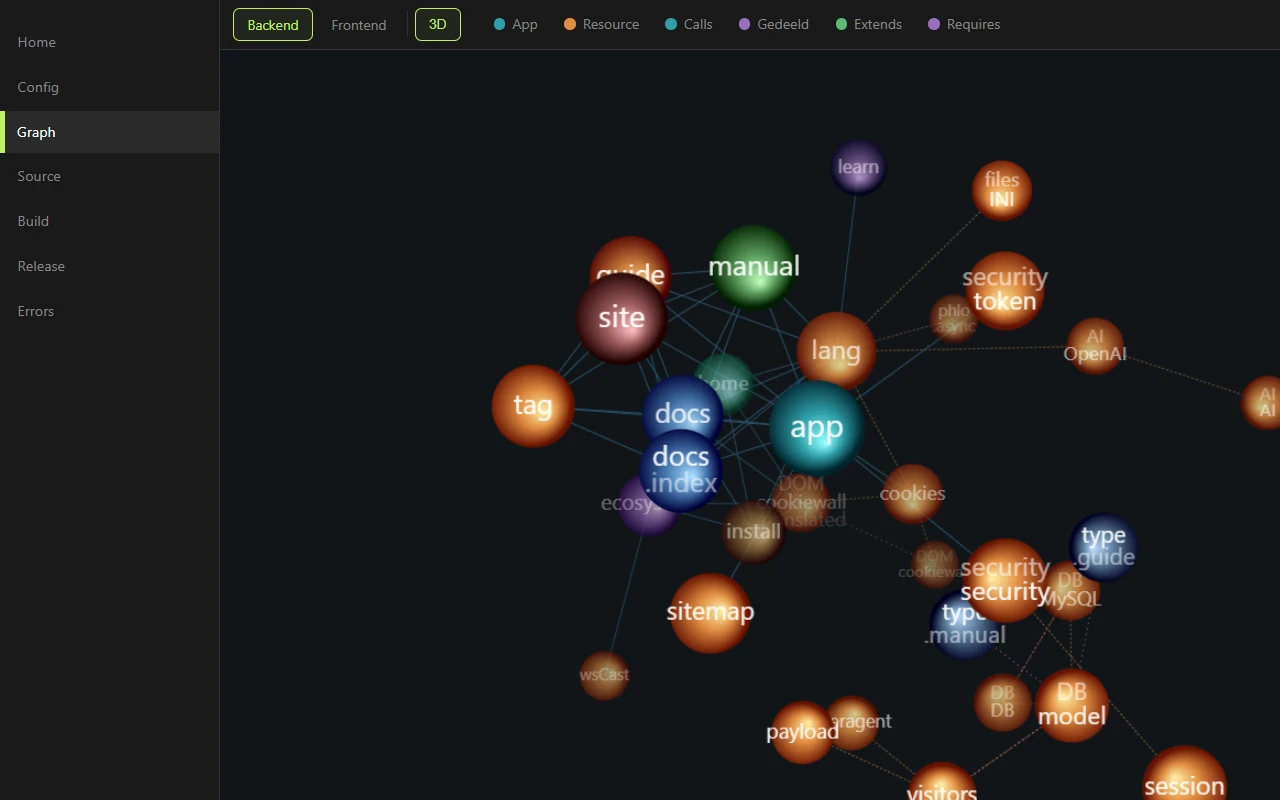
相同的自省驱动了 Phlo 控制中心的图形视图:您的应用程序的每个类、资源和依赖边缘,实时呈现自 reflect::graph:
完整参考:
| 命令 | 返回 |
|---|---|
reflect::context |
单次调用快照:身份、路由/视图计数、包、最近错误。最佳首选调用。 |
reflect::appInfo |
data/app.md 的内容,或 null |
reflect::runtime |
运行时常量:主机、路径、功能标志、自定义参数 |
reflect::errors [limit] |
最近的运行时错误(默认 10;0 = 全部) |
reflect::compactRoutes |
带有文件、行、方法、依赖使用的路由图 |
reflect::compactViews |
带有名称、文件、行的视图列表 |
reflect::routes |
所有路由节点的完整细节和注释 |
reflect::views [withBody] |
所有视图节点;传递 true 以获取主体 |
reflect::sourceFiles |
所有 .phlo 源文件路径 |
reflect::sourceNodes [withBody] |
所有源文件的完整解析 AST |
reflect::fileContent <relPath> |
按显示路径获取源文件内容 |
reflect::find <type> [name] [withBody] [scope] |
一种类型的节点;范围 app/resources/all |
reflect::nodeBody <name> [type] |
命名节点的主体(默认类型为 method) |
reflect::search <query> [scope] [maxHits] [contextLines] |
在 .phlo 文件中进行文本搜索 |
reflect::graph |
类型化后端图:节点和语义边 |
reflect::selectorGraph |
类型化前端图:样式/脚本/选择器边 |
reflect::resourceDependencies <name> [transitive] [full] |
从 @ requires 获取的所需资源 |
reflect::fileDependencies |
从 phlo() 和 Class:: 调用生成的每个文件依赖图 |
reflect::functionIndex |
所有函数的签名、源、组、加载状态 |
reflect::objectIndex |
所有资源对象的函数、属性、构造函数、元数据 |
reflect::resourceSummary |
包计数、函数/对象总数、外部要求 |
reflect::resourceFiles |
所有资源文件路径 |
reflect::availableResources |
所有可发现的资源,带有类型、种类、加载状态 |
reflect::editorIndex |
函数、对象、路由、视图的综合索引 |
reflect::findFunction <name> |
按名称查找函数的资源条目,或 null |
reflect::findClass <name> |
按名称或别名查找类的资源条目,或 null |
reflect::help |
所有方法的签名和描述 |
10.3: General CLI dispatch
build:: and reflect:: are just two examples of a more general mechanism. Phlo's CLI can call any static, method or function in your app:
php www/app.php tasks::run                   # static method on a class
php www/app.php app.heartbeat                # method on a Phlo instance
php www/app.php answer "is an eel a fish"   # global function
Three patterns:
| Pattern | Dispatch | Example |
|---|---|---|
Class::method args |
Static method on the class | tasks::run, backup::nightly |
object.method args |
Instance method via phlo(object) |
app.heartbeat, cms.reindex |
function args |
Global function | answer "question" |
Output goes to stdout as JSON, errors go to stderr with a non-zero exit code. That makes every routine in your app directly usable from cron, deploy scripts, monitoring or a terminal, without building a separate CLI layer for it.
phlo_eval: run Phlo against the live app
The most powerful function dispatch is phlo_eval, which transpiles a string of Phlo and runs it in the live app. It is the runtime complement to reflect::: reflection reads the static source, phlo_eval executes against real data, resources and views.
php www/app.php phlo_eval "user::recordCount()"          # 38, no return keyword
php www/app.php phlo_eval "%app->title"                  # "App"
php www/app.php phlo_eval "echo '<strong>boom</strong>'" # raw HTML, not JSON
A single line auto-returns like a => arrow body, so you write just the expression, no return (unless it starts with return/apply/echo/unset/yield); only a multiline block needs its own return. return prints the value as JSON (type-safe, non-scalar, errors as {"error": ...}); echo prints raw to stdout, handy for viewing rendered markup as-is.
phlo_eval runs arbitrary code with full app privileges: it can read secrets and mutate the database. It is CLI-only and build-only, never present in release/production. Treat its input as developer-authored only, never untrusted.
Only available with build: true in www/app.php. Do not run against a live production environment.
10.4: 调试助手
在 phlo_app(...) 中设置 debug: true 时,Phlo 会激活一组用于开发期间检查的助手。在生产环境中,它们是无效的。
| 助手 | 目的 | 行为 |
|---|---|---|
d(...$args) |
将值转储到响应中,继续运行 | 收集在 %res->dump 中;在请求结束时渲染到浏览器控制台。在没有 debug: true 的情况下无效 |
dx(...$args) |
转储 + 停止 | 同步:完整的调试页面,包含源映射的 .phlo 文件和行号。异步/CLI/流:转储通过 apply 负载到达浏览器控制台。安全的 Worker:抛出异常而不是调用 die() |
debug($msg) |
将一行附加到调试日志;不带参数的 debug() 返回所有收集到的内容 |
记录到浏览器控制台,包含请求统计信息 |
error($msg, $code = 500) |
Phlo 异常处理程序的运行时错误 | 抛出 PhloException,记录在 data/errors.json 中 |
trace($node, $args) |
手动跟踪事件(仅在 trace: true 时激活) |
向跟踪日志添加事件,详见 Trace 章节 |
生命周期:助手在请求期间收集(%res->dump,%res->debug);在同步页面结束时,内联脚本将所有内容记录到浏览器控制台,并附带内存、持续时间和跟踪元数据,异步响应在其 apply 负载中携带相同的数据。对象通过 objInfo() 解包。运行时错误累积在 data/errors.json 中(消息、源映射文件和行号、计数、最后一次发生);可以通过 reflect::errors 或在 Phlo Control Center 中读取它们。
method buildReport {
	$data = $this->load
	debug('loaded', count: count($data))
	if (!$data) error('No data to report')
	dx($data[0])
}
dx() 是您在开发过程中主要的“停下来看看有什么”的工具。忘记在发布代码中添加 dx()?在 debug: false 模式下,它的行为就像 error() 一样,不会静默通过。
10.5: 工作流程
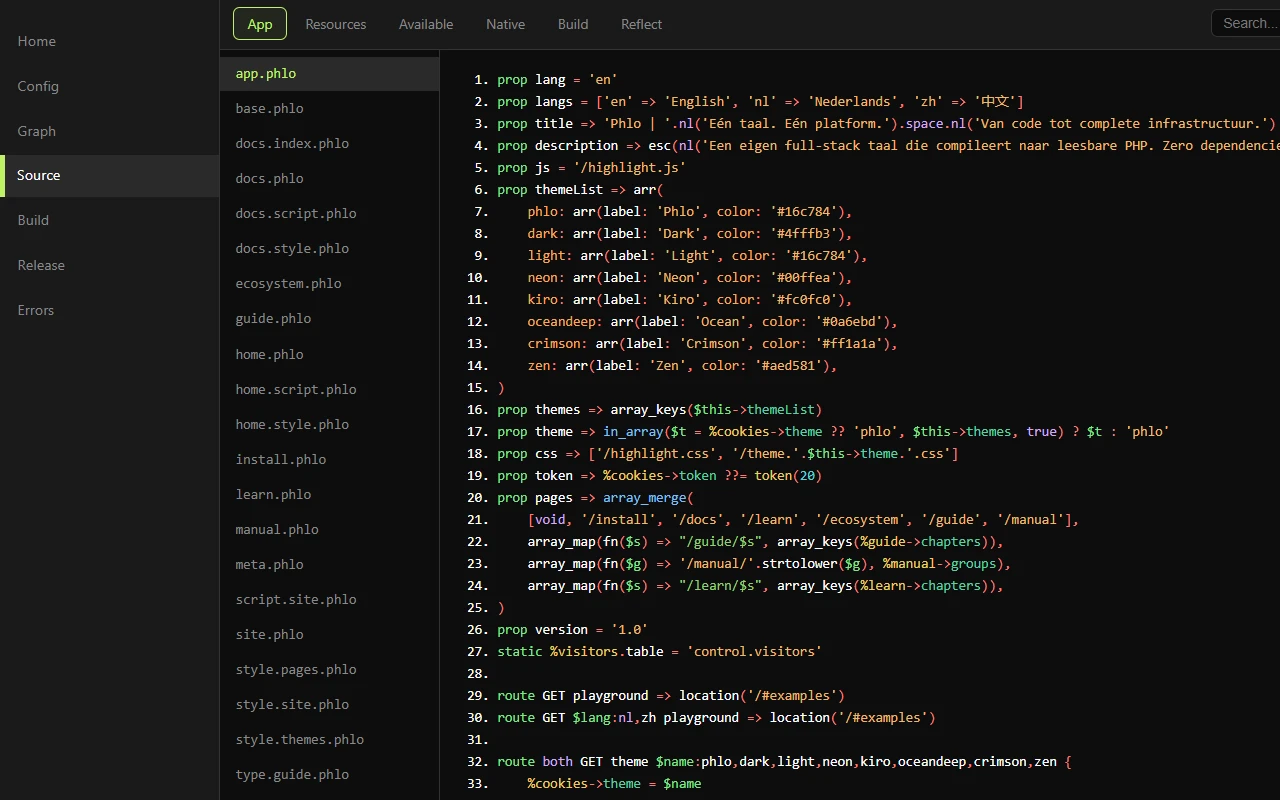
在开发环境中,Phlo Control Center(位于 /phlo)将整个循环放入浏览器中:源代码、构建、发布和错误,每个文件只需点击一下即可访问:
- 首先阅读源代码和反射输出。
- 仅修改
.phlo、data/app.json或入口点。 - 运行
build::run。 - 运行
build::lint。 - 测试相关的 HTTP routes。
- 当阶段/发布输出需要更新时,运行
build::release。
10.6: 开发、阶段和生产
开发人员通常具有:
auth: true,
build: true,
debug: true,
在 build+debug 模式下,内置控制 UI 默认位于 /phlo;在 phlo_app(...) 中使用 control: 'path' 可以选择不同的路径。阶段/生产通常在没有构建和调试的情况下运行。Web 根目录指向 release/www/。
10.7: HEAD and async
The current runtime supports the normal HTTP methods, including HEAD. Async requests are handled by the frontend resource and use the same routes as sync requests, unless you explicitly declare a route otherwise.
Reference. The core resources are documented per node in the Manual, generated from the resource files so it never drifts from the code.
最近更新于 2026年11月5日