
1: CMS overview
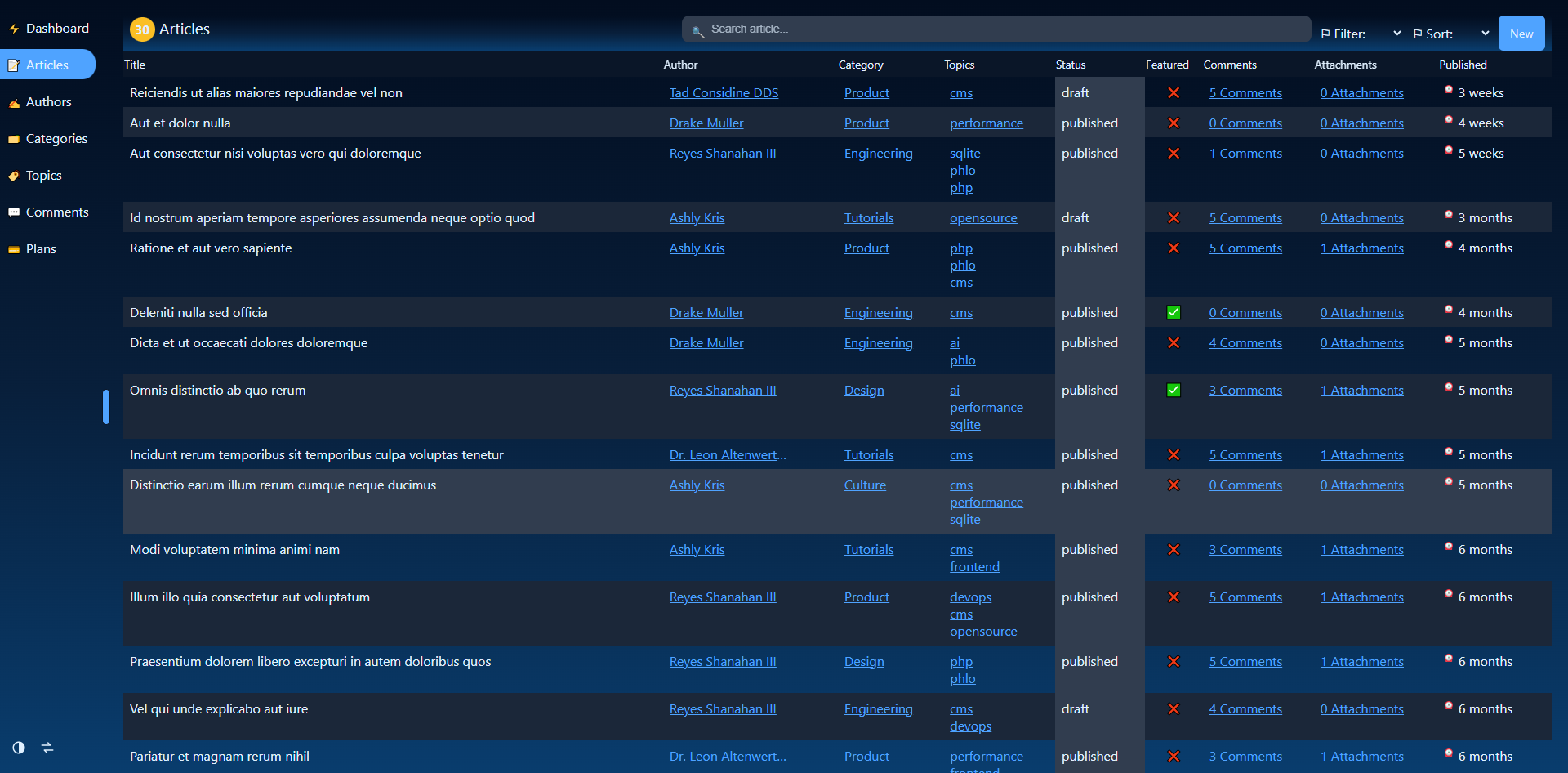
The Phlo CMS turns a model schema into a complete admin interface. You declare what your data looks like; the CMS generates the navigation, list views, record views, create and edit forms, a REST API and CSRF protection. There is no hand-built admin HTML.
1.1: What it generates
From a handful of models, each declaring a schema, the CMS produces:
- a sidebar built from your menu,
- a list view per model (with counts, child links and pagination),
- a record view per row, with its relations,
- create and edit forms with the right input per field,
- a write API (
POST/PUT/PATCH/DELETE) for every model; reads are the rendered list and record pages, - dashboard widgets (bar, gauge, line, list, pie) per model, so the CMS home is a live overview,
- Insights: ask your data questions in plain language, typed or spoken, through the AI provider you configure,
- CSRF-protected writes.
1.2: How an app declares itself
An app mounts the CMS with two declarations: which models exist, and how they appear in the sidebar.
prop models => array_values(array_filter(['article', 'author', 'category'], fn($m) => phlo_exists($m)))
prop menu => [
	'article'  => ['icon' => '📝', 'uri' => 'articles',  'title' => 'Articles'],
	'author'   => ['icon' => '✍️', 'uri' => 'authors',   'title' => 'Authors'],
	'category' => ['icon' => '🗂️', 'uri' => 'categories', 'title' => 'Categories'],
]
The CMS framework is loaded as a resource path; your models live in modules/. The rest of this mini-manual covers schemas, relations, the admin and uploads, and ends at a live blog demo.
1.3: The demo
The phlo-demo-cms repository is a blog on SQLite: five models, every relation type, image uploads and a Faker seeder, a complete app you can copy and re-seed in one command.
1.4: Generate a starting model
Picking a database, a table name and a list of fields by hand is most of a schema. The
CMS builder turns that choice into a ready model file: pick an engine, name the table,
add fields (parent/child/many carry the relation to another model), and it also flags the
files/images/thumbs paths a file or image field needs in www/app.php. Treat the result as a
starting point, not a final schema.
Last updated on 23 August 2026