
1: Presentation overview
Phlo Presentation is an audio-timeline editor for narrated presentations and short videos. You layer images and background video over an audio track, and everything plays on the audio clock: the narration is the timeline, and each item appears, moves and leaves against it. It transcribes and translates the audio, dubs it with AI narration, and can storyboard a whole video from a one-line prompt and your media library. When it is done, it exports a standalone web page or renders a real MP4, entirely in the browser.
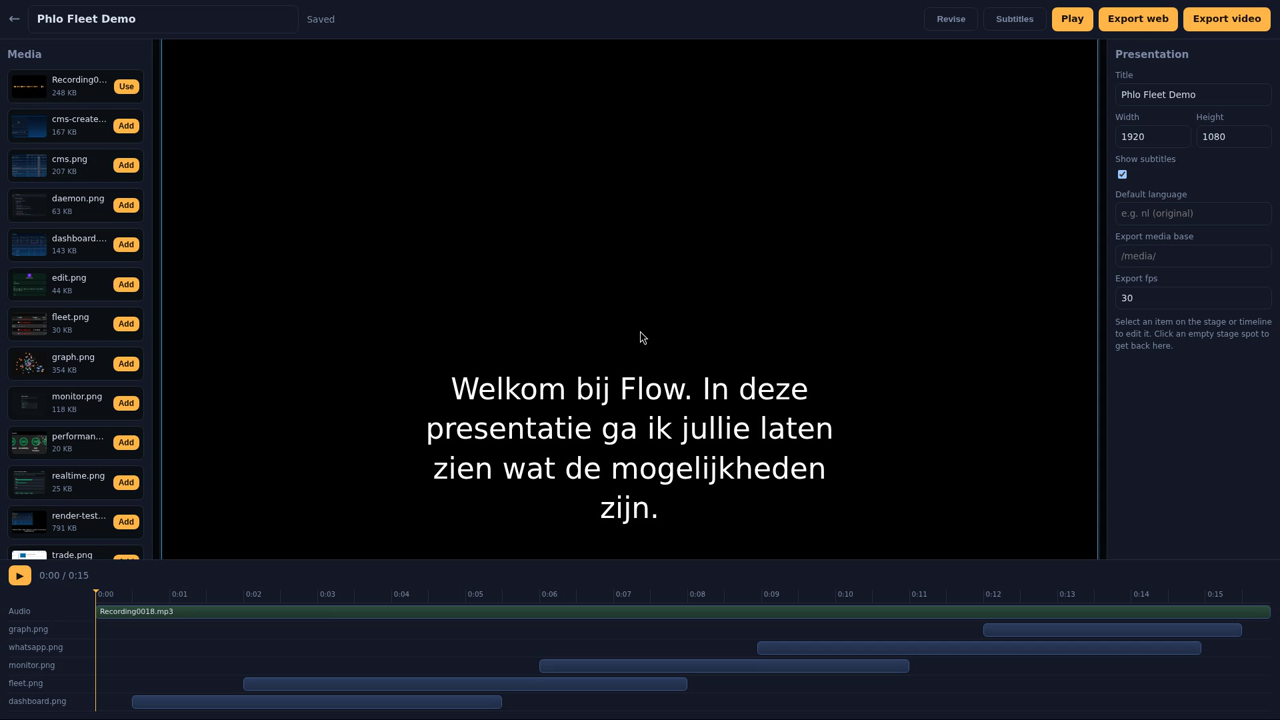
1.1: The player is an engine resource
The thing that plays a presentation is not this app. PresentationPlayer is a Phlo engine resource (DOM/presentation): a small, dependency-free class that takes a presentation.json payload and plays it on the audio clock. This app is its editor and its first consumer, and the same player drives the deterministic canvas renderer used for MP4 export. Because preview and export run the same player, what you see is what you get: the exported video matches the editor frame for frame.
So the split is deliberate. The payload is the product: a portable JSON document describing the audio, the media, the timings, the transitions and the subtitle tracks. This app writes that payload; the engine resource plays it, anywhere.
1.2: What it does
| Capability | What it means |
|---|---|
| Audio-timeline editor | Drag and resize images on a stage, scrub the timeline, preview live. |
| Transitions and camera moves | A shared set of entry and exit transitions, plus lifelong during animations (Ken Burns, pan, float and more), no keyframes. |
| Transcription and subtitles | Whisper transcription with timed segments, an SRT per language, a switcher in the player. |
| AI dubbing | Sentence-grouped TTS narration placed on the transcript timeline, as a language alternative. |
| AI director | A prompt plus your captioned media becomes a storyboard, compiled into a full timeline to refine. |
| Recording studio | Capture microphone, a screen, tab or window, or a camera straight into the media library. |
| Two exports | A standalone offline zip, or a client-side MP4 render with a WebCodecs encoder and an ffmpeg-wasm fallback. |
1.3: What you need
Presentation is a Phlo app that leans on four engine resources (DOM/presentation, DOM/ffmpeg, DOM/recorder, AI/OpenAI) and a couple of server tools. On the server you need ffmpeg and ffprobe for transcription, thumbnails, waveforms, TTS assembly and trimming, and an OpenAI key for transcription, translation, dubbing, media captioning and storyboarding. The heavy media work at export time runs in the browser, not on the server.
Last updated on 7 October 2026