
10: Tooling & CLI
Phlo apps have a CLI layer for build, lint, release and reflection. Always use it through the app's dev entrypoint.
10.1: Build commands
php www/app.php build::run
php www/app.php build::lint
php www/app.php build::release
php www/app.php build::config
php www/app.php build::changed
build::lint should return an empty array:
[]If lint reports errors, fix the .phlo source and build again. Never patch the generated PHP.
| Command | Returns |
|---|---|
build::run |
Triggers a build; returns changed file paths |
build::lint |
PHP parse errors in transpiled files; empty array = clean |
build::release |
Transpiles a release build with release hooks |
build::config |
Full build config from data/app.json |
build::changed |
Source files changed since the last build |
build::buildFiles |
All transpiled output paths (php/ + www/) |
build::releaseFiles |
Transpiled output paths for the release build |
build::flush |
Deletes all transpiled files |
build::traceShadow |
Regenerates functions.trace.php from functions.php |
build::help |
All methods with signatures and descriptions |
10.2: Reflect commands
Reflection helps you understand an app before you change it:
php www/app.php reflect::context
php www/app.php reflect::compactRoutes
php www/app.php reflect::compactViews
php www/app.php reflect::resourceSummary
php www/app.php reflect::objectIndex
php www/app.php reflect::functionIndex
These commands return JSON and are intended for development environments with build: true.
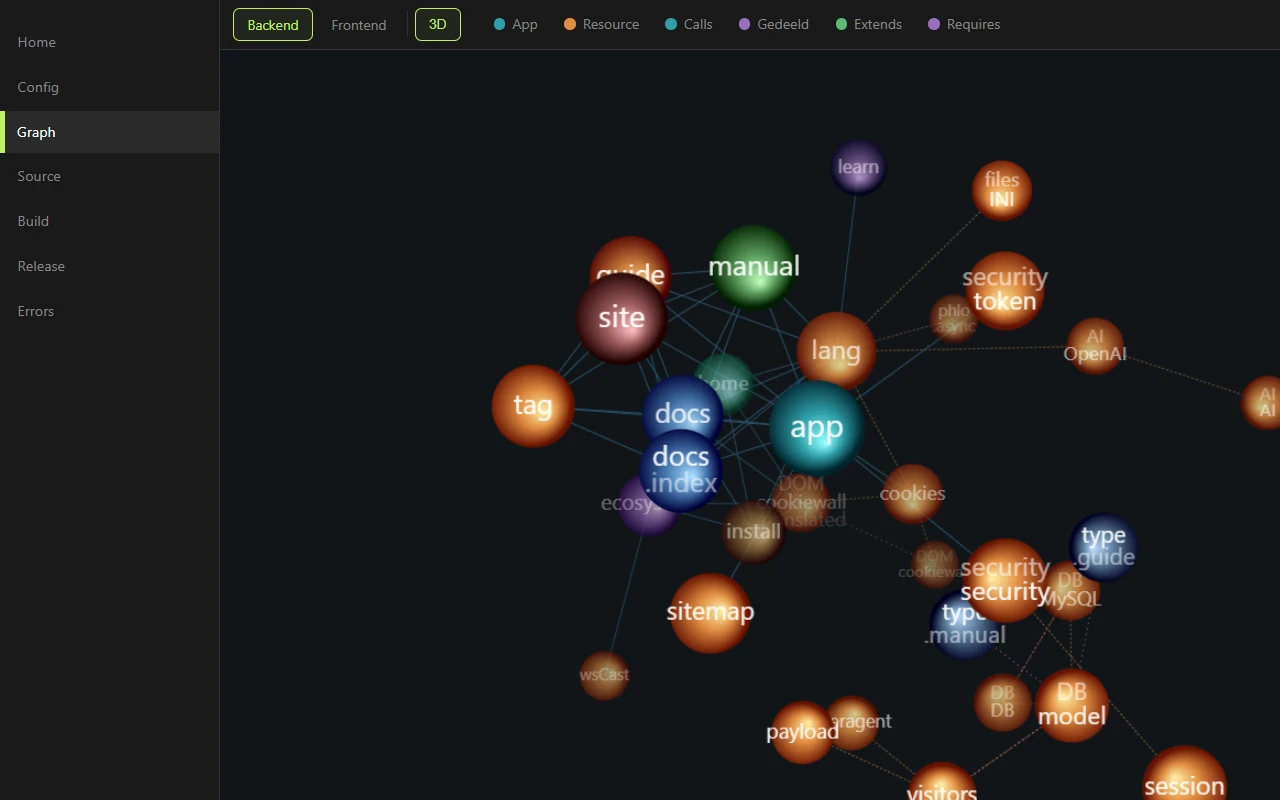
The same introspection drives the Graph view of the Phlo Control Center: every class, resource and dependency edge of your app, rendered live from reflect::graph:
Full reference:
| Command | Returns |
|---|---|
reflect::context |
Single-call snapshot: identity, route/view counts, packages, recent errors. Best first call. |
reflect::appInfo |
Contents of data/app.md, or null |
reflect::runtime |
Runtime constants: host, paths, feature flags, custom params |
reflect::errors [limit] |
Recent runtime errors (default 10; 0 = all) |
reflect::compactRoutes |
Route map with file, line, method, dependency usage |
reflect::compactViews |
View list with name, file, line |
reflect::routes |
All route nodes with full detail and comments |
reflect::views [withBody] |
All view nodes; pass true for bodies |
reflect::sourceFiles |
All .phlo source file paths |
reflect::sourceNodes [withBody] |
Full parsed AST of all source files |
reflect::fileContent <relPath> |
Source file contents by display path |
reflect::find <type> [name] [withBody] [scope] |
Nodes of a type; scope app/resources/all |
reflect::nodeBody <name> [type] |
Body of a named node (default type method) |
reflect::search <query> [scope] [maxHits] [contextLines] |
Text search across .phlo files |
reflect::graph |
Typed backend graph: nodes and semantic edges |
reflect::selectorGraph |
Typed frontend graph: style/script/selector edges |
reflect::resourceDependencies <name> [transitive] [full] |
Required resources from @ requires |
reflect::fileDependencies |
Per-file dependency map from phlo() and Class:: calls |
reflect::functionIndex |
All functions with signatures, source, group, load status |
reflect::objectIndex |
All resource objects with methods, props, constructor, metadata |
reflect::resourceSummary |
Package counts, function/object totals, external requirements |
reflect::resourceFiles |
All resource file paths |
reflect::availableResources |
All discoverable resources with type, kind, load status |
reflect::editorIndex |
Combined index of functions, objects, routes, views |
reflect::findFunction <name> |
Resource entry for a function by name, or null |
reflect::findClass <name> |
Resource class entry by name or alias, or null |
reflect::help |
All methods with signatures and descriptions |
10.3: General CLI dispatch
build:: and reflect:: are just two examples of a more general mechanism. Phlo's CLI can call any static, method or function in your app:
php www/app.php tasks::run                   # static method on a class
php www/app.php app.heartbeat                # method on a Phlo instance
php www/app.php answer "is an eel a fish"   # global function
Three patterns:
| Pattern | Dispatch | Example |
|---|---|---|
Class::method args |
Static method on the class | tasks::run, backup::nightly |
object.method args |
Instance method via phlo(object) |
app.heartbeat, cms.reindex |
function args |
Global function | answer "question" |
Output goes to stdout as JSON, errors go to stderr with a non-zero exit code. That makes every routine in your app directly usable from cron, deploy scripts, monitoring or a terminal, without building a separate CLI layer for it.
phlo_eval: run Phlo against the live app
The most powerful function dispatch is phlo_eval, which transpiles a string of Phlo and runs it in the live app. It is the runtime complement to reflect::: reflection reads the static source, phlo_eval executes against real data, resources and views.
php www/app.php phlo_eval "user::recordCount()"          # 38, no return keyword
php www/app.php phlo_eval "%app->title"                  # "App"
php www/app.php phlo_eval "echo '<strong>boom</strong>'" # raw HTML, not JSON
A single line auto-returns like a => arrow body, so you write just the expression, no return (unless it starts with return/apply/echo/unset/yield); only a multiline block needs its own return. return prints the value as JSON (type-safe, non-scalar, errors as {"error": ...}); echo prints raw to stdout, handy for viewing rendered markup as-is.
phlo_eval runs arbitrary code with full app privileges: it can read secrets and mutate the database. It is CLI-only and build-only, never present in release/production. Treat its input as developer-authored only, never untrusted.
Only available with build: true in www/app.php. Do not run against a live production environment.
10.4: Debug helpers
With debug: true in phlo_app(...), Phlo activates a set of helpers for inspection during dev. In production they are inert.
| Helper | Purpose | Behavior |
|---|---|---|
d(...$args) |
Dump values into the response, continue running | Collected in %res->dump; rendered to the browser console at the end of the request. Inert without debug: true |
dx(...$args) |
Dump + STOP | Sync: full debug page with the source-mapped .phlo file and line. Async/CLI/streaming: the dump arrives in the browser console via the apply payload. Worker-safe: throws instead of calling die() |
debug($msg) |
Append a line to the debug log; debug() without arguments returns everything collected |
Logged to the browser console with the request stats |
error($msg, $code = 500) |
Runtime error for the Phlo exception handler | Throws a PhloException, logged in data/errors.json |
trace($node, $args) |
Manual trace event (only active with trace: true) |
Adds an event to the trace log, see the Trace chapter |
The lifecycle: helpers collect during the request (%res->dump, %res->debug); at the end of a sync page an inline script logs everything to the browser console together with memory, duration and trace metadata, and async responses carry the same data in their apply payload. Objects are unwrapped via objInfo(). Runtime errors accumulate in data/errors.json (message, source-mapped file and line, count, last occurrence); read them with reflect::errors or in the Phlo Control Center.
method buildReport {
	$data = $this->load
	debug('loaded', count: count($data))
	if (!$data) error('No data to report')
	dx($data[0])
}
dx() is your primary "stop and look at what's there" tool during development. Forgot a dx() in code that ships to release? In debug: false mode it behaves just like error(), no silent passthrough.
10.5: Workflow
In a dev environment the Phlo Control Center (at /phlo) puts this whole loop in the browser: source, build, release and errors, with every file one click away:
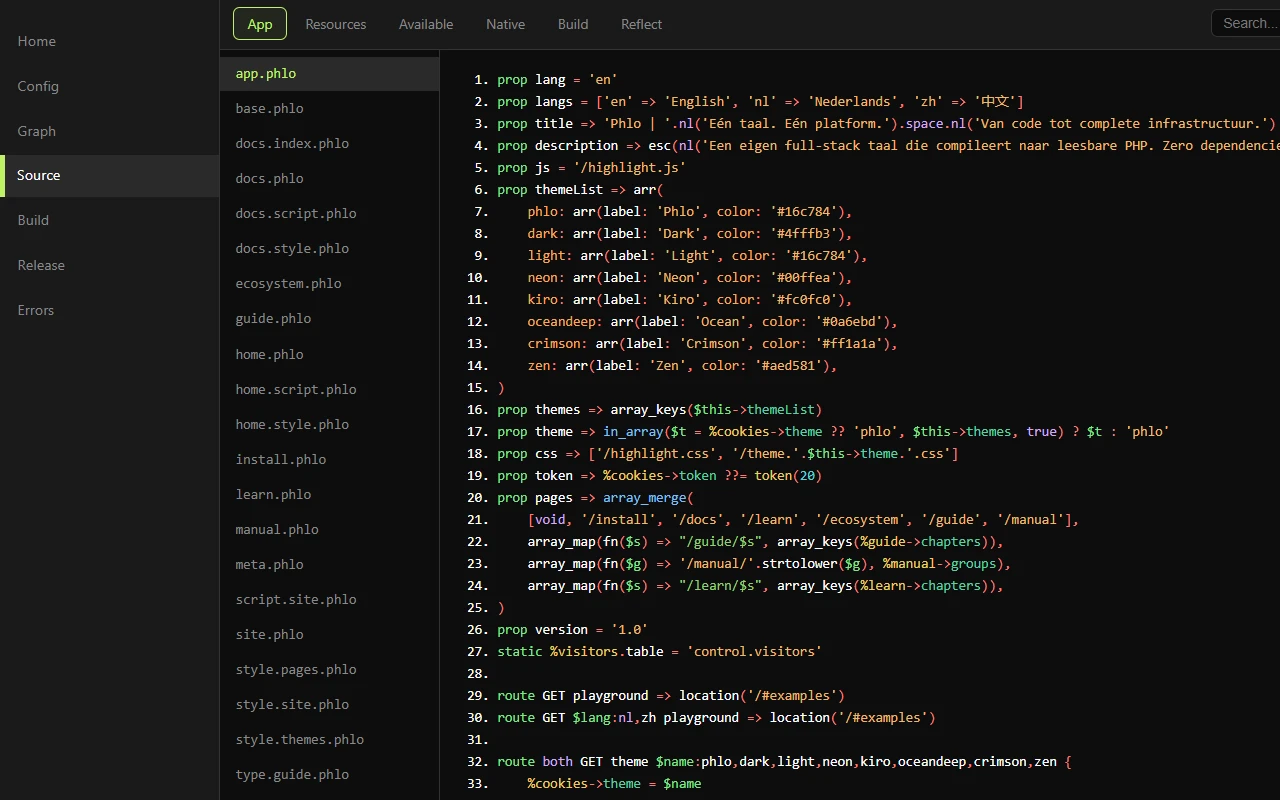
- Read the source and the reflection output first.
- Only modify
.phlo,data/app.jsonor entrypoints. - Run
build::run. - Run
build::lint. - Test the relevant HTTP routes.
- Run
build::releasewhen the stage/release output needs updating.
10.6: Dev, stage and production
Dev typically has:
auth: true,
build: true,
debug: true,
In build+debug mode, the built-in control UI lives at /phlo by default; use control: 'path' in phlo_app(...) to pick a different path. Stage/production typically runs without build and without debug. The webroot points to release/www/.
10.7: HEAD and async
The current runtime supports the normal HTTP methods, including HEAD. Async requests are handled by the frontend resource and use the same routes as sync requests, unless you explicitly declare a route otherwise.
Reference. The core resources are documented per node in the Manual, generated from the resource files so it never drifts from the code.
Last updated on 23 August 2026